Dual-Axis Control psychomotor assessment
Keep a ball centred on a tilting plate in a practice round, then again for score.
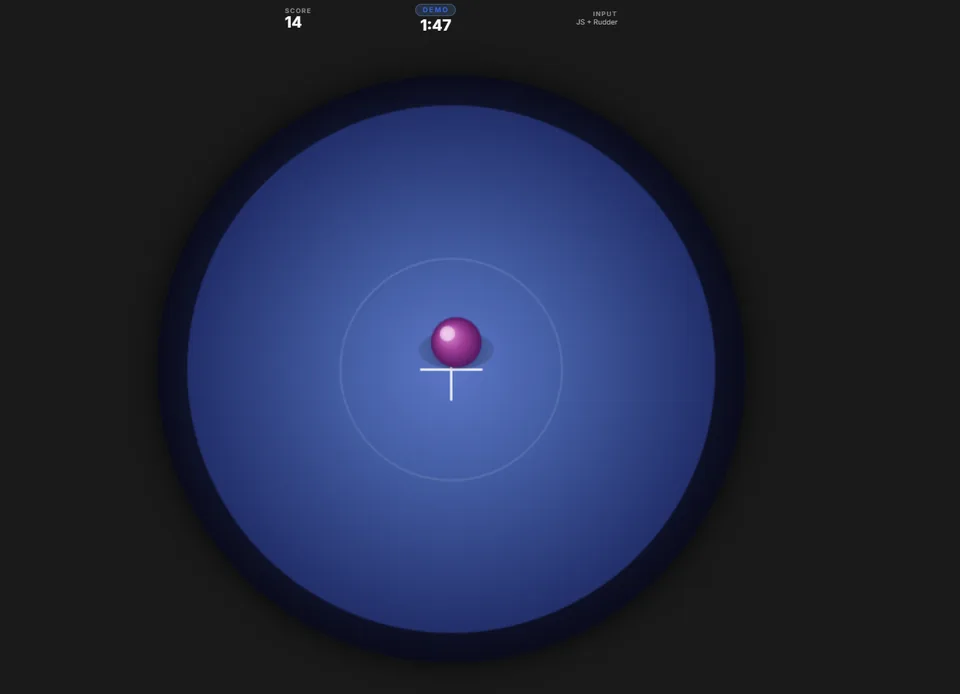
- Time
- Two rounds of 2 minutes
- Scores
- Overall Sten and Learning Sten
- Controls
- Keyboard, mouse, joystick or rudder pedals
- Report
- PDF with a performance graph
What it measures
Control
How closely the ball is kept near the centre of the plate while the plate tilts.
Learning
How the scored round compares with the practice round, reported as its own Learning Sten.
Consistency
A performance graph, built from 10 second intervals, shows how the score built up across the round.
What the candidate does
-
System check
A short check confirms the screen and the controls are ready before the practice round.
-
Practice round
Two minutes to learn how the plate responds to the controls.
-
Scored round
Two minutes on the same task. This round sets the overall score.
-
Report
The PDF report is built from both rounds, with the practice round used to measure learning.
What the report shows
The report gives an overall Sten and a Learning Sten with colour bands, a performance graph across the round and a short written summary.
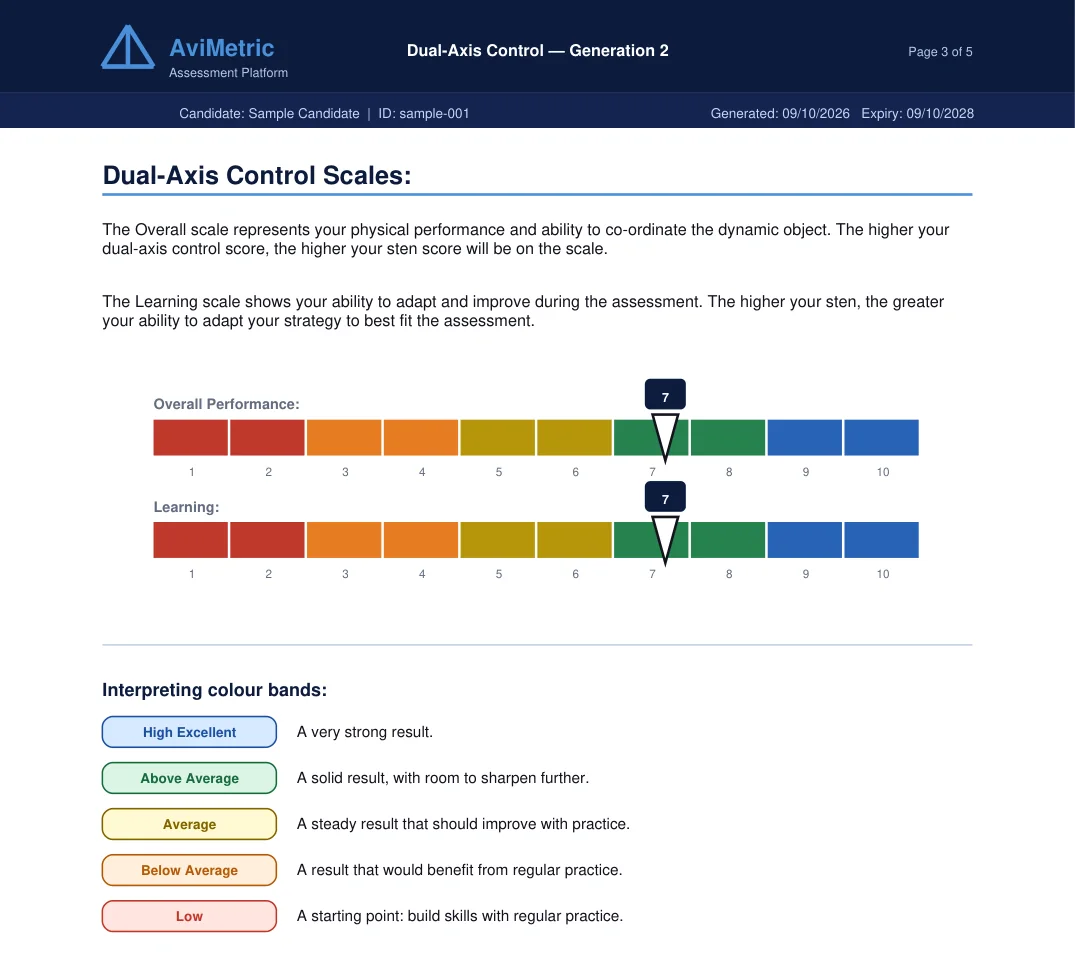
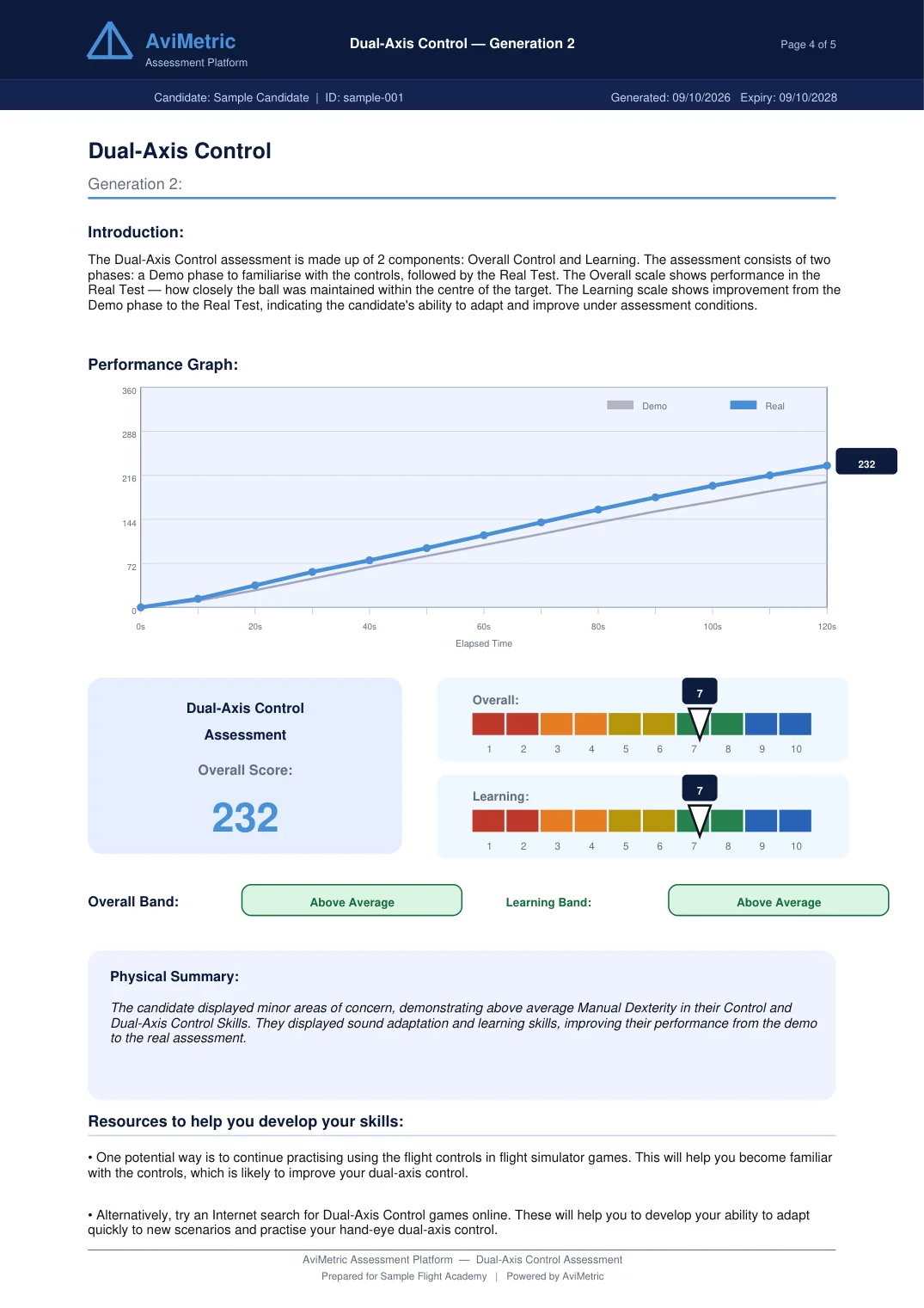
Both pages are from a sample report for an invented candidate.
Fairness and consistency
- A school can lock one input mode for every candidate, because keyboard, mouse and joystick give different amounts of control.
- Every result is stamped with its test version, so older and current results are never mixed up.
- Sten bands are fixed score ranges set by AviMetric, not a comparison with other candidates.
- The version 2 scale is provisional and will be calibrated as real results build up.
For schools and airlines
- Assign the module to a cohort, set how many attempts each candidate gets and watch each one's status live.
- Download each candidate's report as a PDF with your name and logo, or export the whole cohort as a CSV.
- Reset the module for a candidate with a recorded reason when a technical fault interrupts them.
- Lock one input mode for the whole cohort so every candidate is tested with the same controls.
Questions
How long does the test take?
Two minutes of practice and two minutes scored, after a short system check.
Does the practice round count towards the score?
The overall score comes from the scored round. The practice round is used to measure learning, which is reported as a separate Sten.
Which controls can I use?
Keyboard, mouse, a joystick, or a joystick with rudder pedals. A school can lock one input mode for all of its candidates.
Does AviMetric decide who passes?
No. AviMetric reports a Sten score and a band. Your selection team makes every decision.
Can I practise before the real thing?
Yes. Practice access is sold on the Buy Now page. Candidates of a school or airline receive their accounts from that organisation.