Aircraft Handling flight simulator assessment
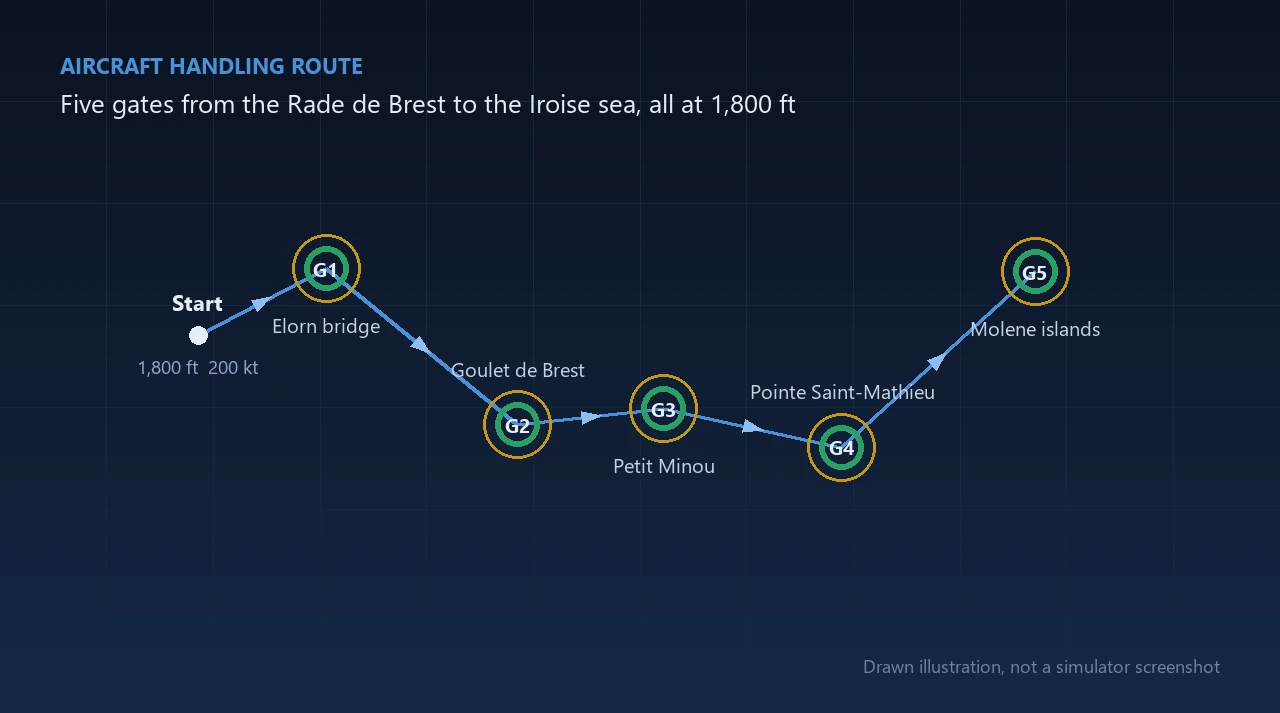
Fly a jet through five gates over Brest at 200 knots, first for practice, then for score.
- Time
- Two flights, up to 15 minutes each
- Scores
- Overall Sten and a Sten for each of four measures
- Setup
- Arranged by AviMetric for your centre
- Report
- PDF with the result for every gate
What it measures
Level Keeping
How much of the flight is spent close to the assigned altitude of 1,800 feet, held for the whole flight.
Pace Holding
How much of the flight is spent close to 200 knots, held with the throttle through every turn.
Gate Passage
Whether the aircraft goes through each ring, and how close to the centre.
Attitude Discipline
How long pitch and roll stay beyond a caution angle and a limit angle, and how quickly they are corrected.
Learning
How each measure changes from the demonstration flight to the assessment flight, reported on its own and never added into the overall result.
What the candidate does
-
Launch
The candidate signs in to their AviMetric dashboard and presses Launch. The test opens full screen on the same computer.
-
Demonstration flight
The simulator starts at 1,800 feet and 200 knots. The candidate flies the route through all five gates.
-
Back to the start
The aircraft is returned to the start point, at the same height and speed, for the second flight.
-
Assessment flight
The same route again. This flight sets the overall result.
-
Report
The flight is sent to AviMetric, marked there, and the PDF report is ready in the portal.
What the report shows
The report gives an overall Sten, a Sten for each of the four measures, learning for each measure and a result for every gate, with a short plain-words note under each measure.
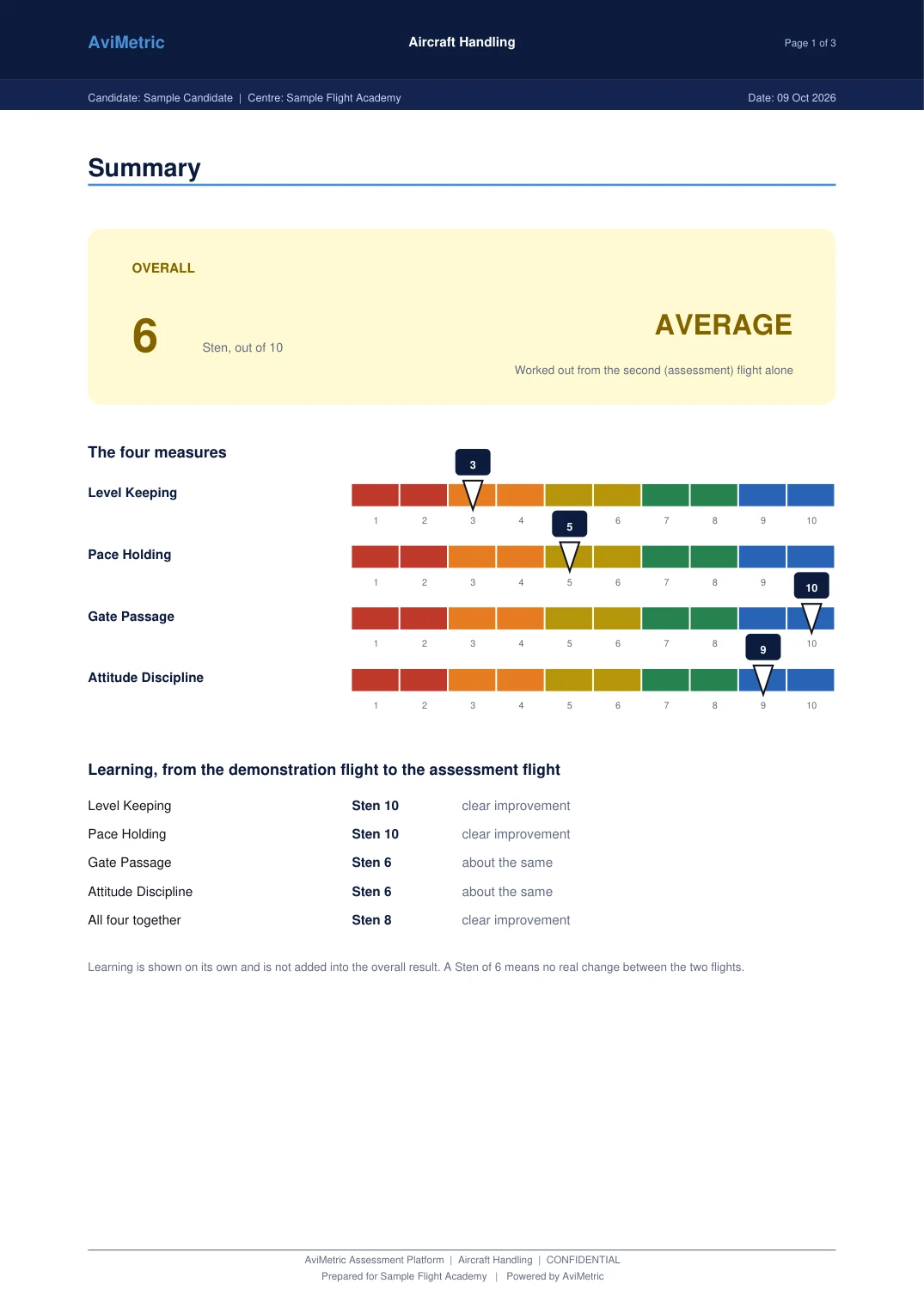
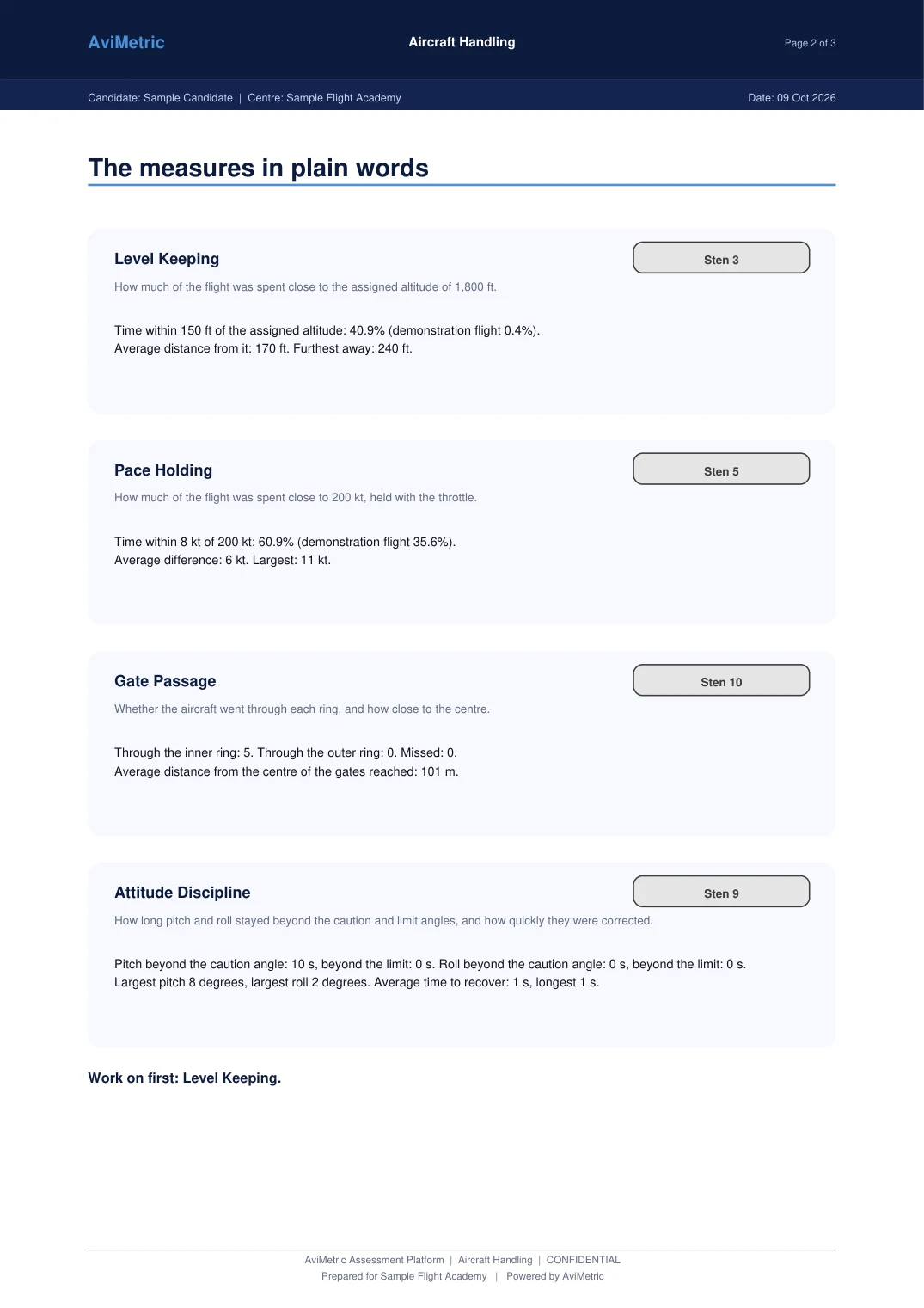
Both pages are from a sample report for an invented candidate.
Fairness and consistency
- The flight is marked on AviMetric's servers, not on the candidate's PC, so nothing on the candidate's computer can change a score.
- Every candidate starts at the same place, height and speed and flies the same route.
- The launch link works once and expires after five minutes.
- A flight that is cut short is recorded as stopped and receives no Sten.
- The Sten bands are fixed ranges set by AviMetric and are provisional until they are calibrated on real flights.
For schools and airlines
- Assign the module to a cohort, set how many attempts each candidate gets and watch each one's status live.
- Download each candidate's report as a PDF with your name and logo, or export the whole cohort as a CSV.
- Reset the module for a candidate with a recorded reason when a technical fault interrupts them.
Questions
How long does it take?
There are two flights over the same route. Each flight is stopped after 15 minutes at most, and the route itself takes about eight minutes at 200 knots.
What does my centre need?
AviMetric sets everything up for your centre and checks the computers before the first test. Contact us to arrange it.
Does the first flight count towards the score?
No. The overall Sten comes from the second flight. The first flight is used to show learning, which is reported separately for each measure.
Where is the flight marked?
On AviMetric's servers. The marking rules are never on the candidate's computer.
Is Aircraft Handling available to individual candidates?
Not at present. It is set up by schools and airlines at their own centres. Contact us if you would like it for your organisation.
Does AviMetric decide who passes?
No. AviMetric reports a Sten score and a band. Your selection team makes every decision.